Project 05, 2026
TidyFlow
Reads a messy folder, proposes a clean structure, and moves nothing until you approve.
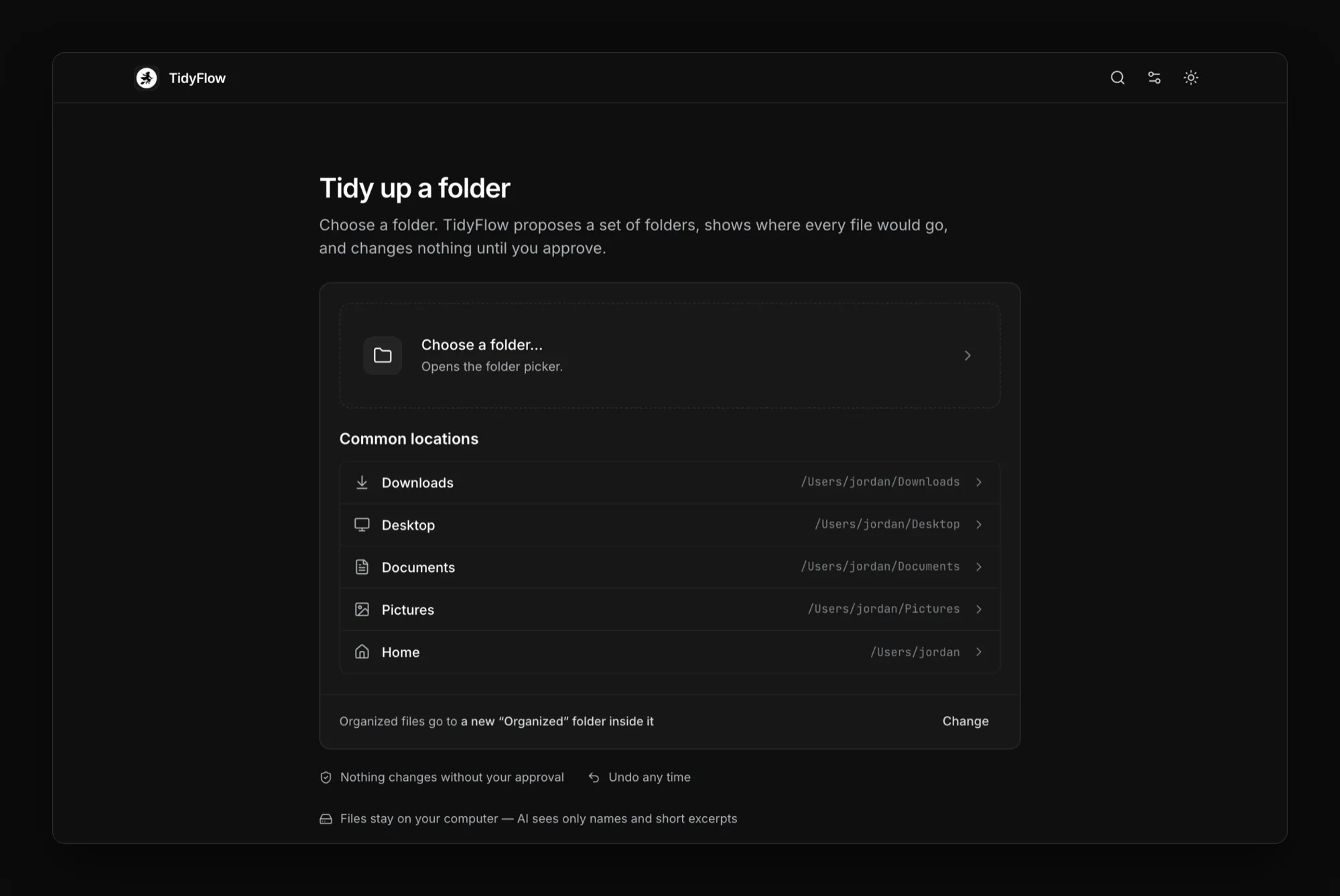
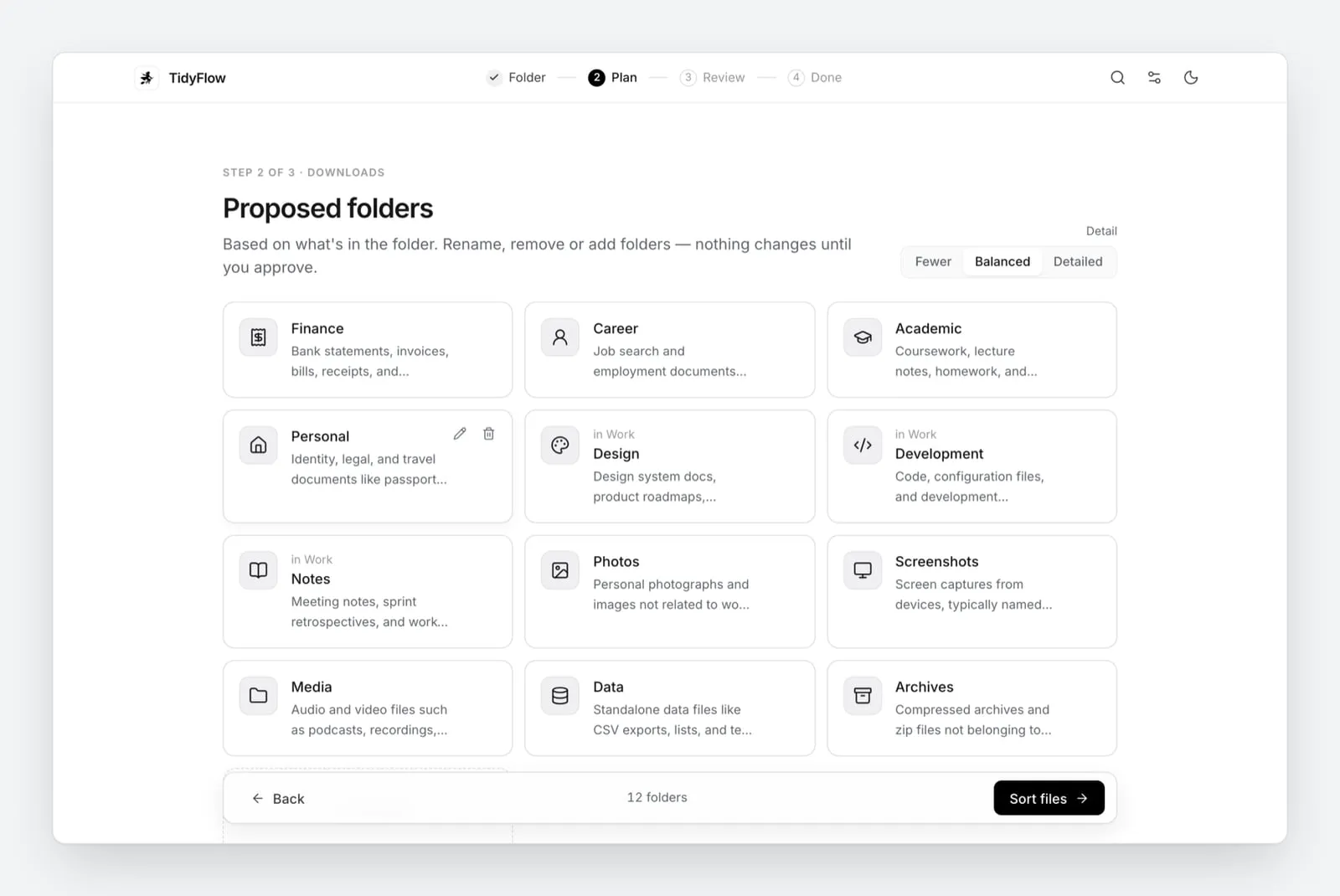
The proposed folders, built from what is inside the files. Nothing moves yet.
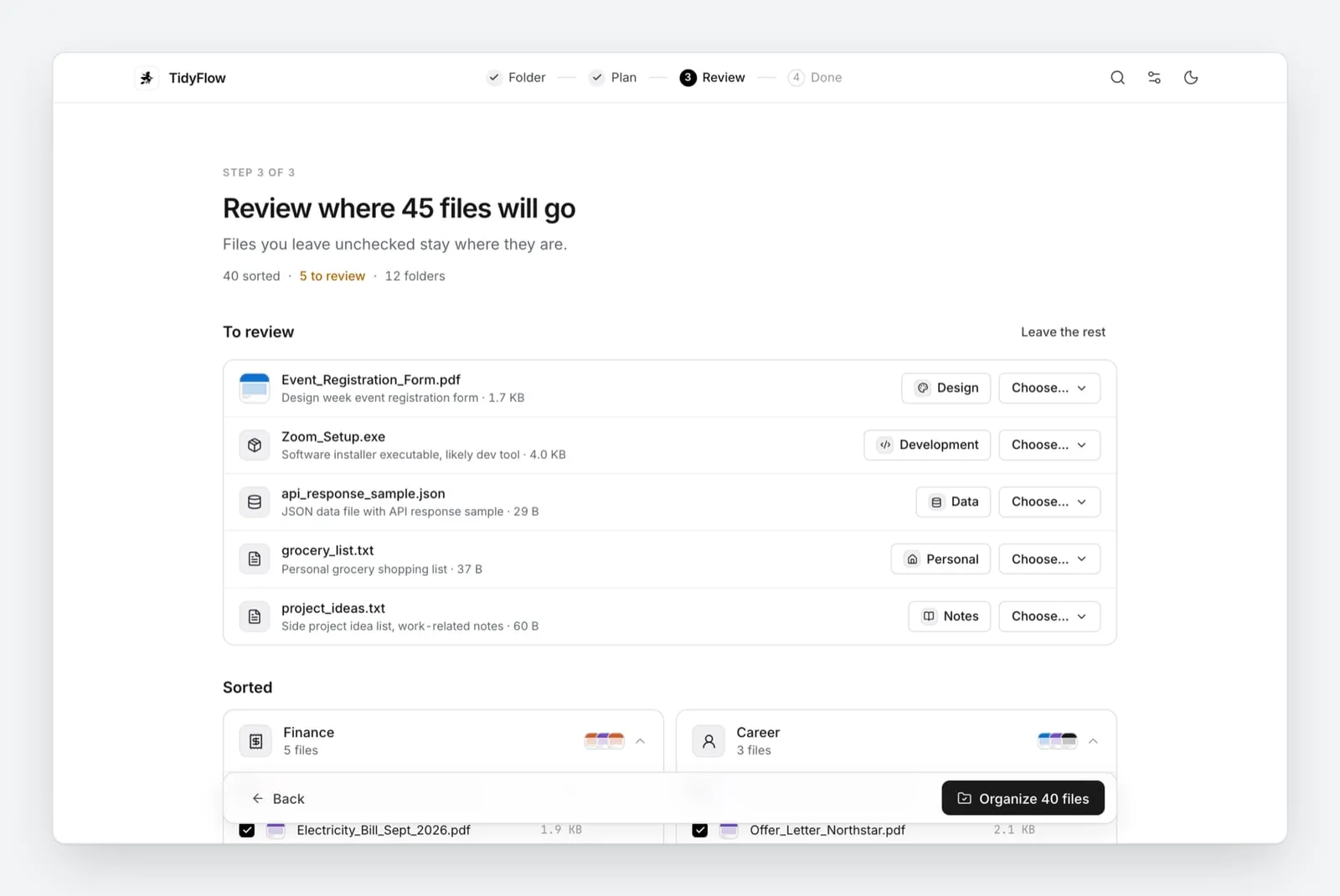
Review where each file will go. Unsure files wait for you.
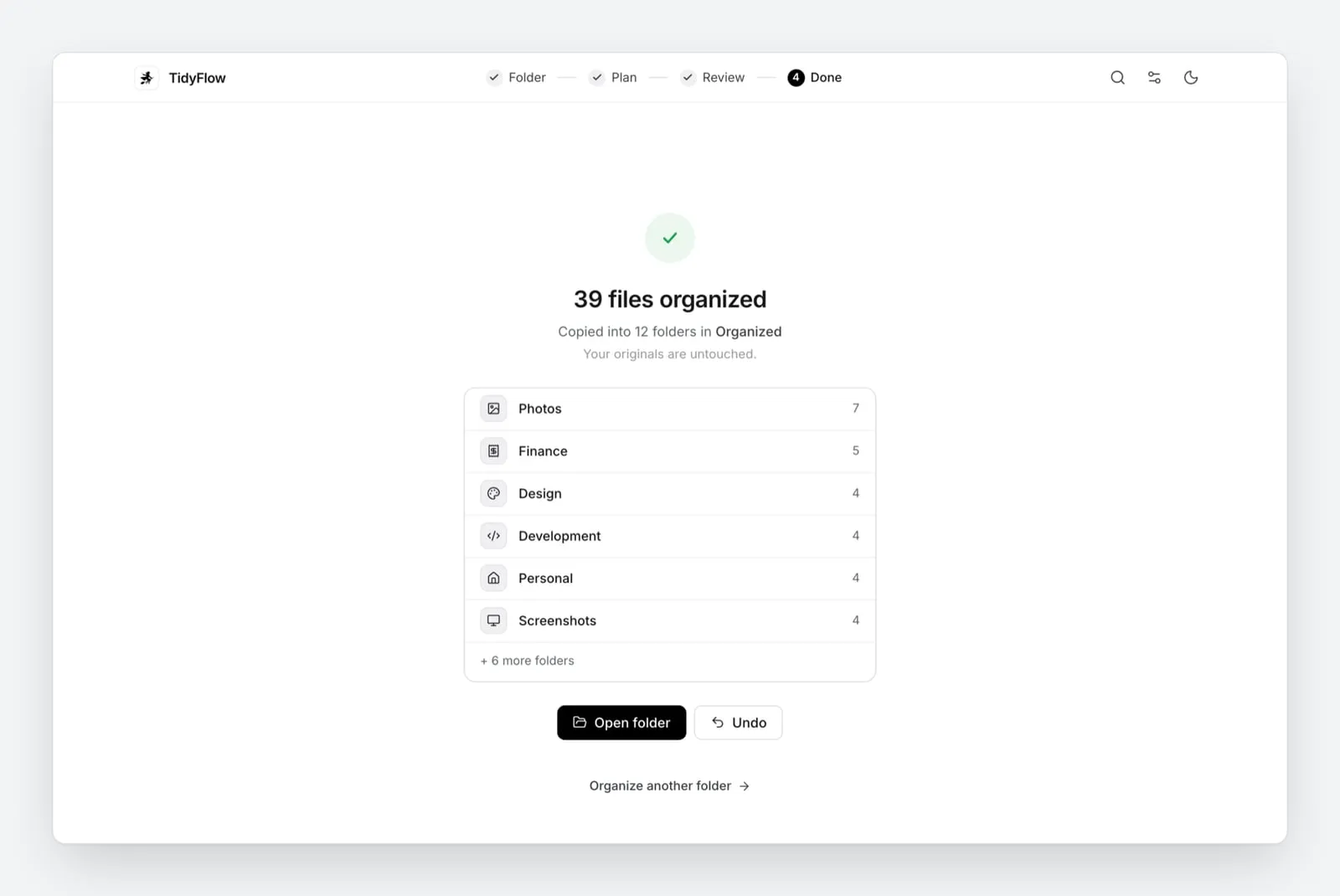
Done: files copied into new folders, originals untouched, and one click to undo.
Interactive explainer
How a folder gets tidied
Read a messy Downloads folder, get a proposed set of folders, approve it, then undo it. Nothing moves until you approve, and every copy is hash-checked.
This is a small model of one part of TidyFlow: the read, plan, approve and undo flow, on a made-up folder. It runs in your browser on sample data and doesn't fetch anything or call an AI model, so it isn't the app itself.Download the real TidyFlow ↗
Click 1. Read files to start. TidyFlow looks inside each file, not just at its name.
Downloads 12 files
- scan_0412.pdfOCRInvoice #4471, total ₹2,360
- scan_0413.pdfOCRBroadband bill for March
- IMG_2231.HEICphoto, 4032 × 3024
- IMG_2231 (1).HEICsame image as IMG_2231.HEIC
- Screenshot 22.10.04.pngOCRboarding pass, BBI to BLR
- boarding_pass(2).pdfBhubaneswar to Bengaluru, seat 14C
- resume_v7_final.docxEducation, Experience, Projects
- offer_letter.pdf"We are pleased to offer you…"
- main.pyfrom fastapi import FastAPI
- budget_2026.xlsxRent, Food, Travel by month
- notes (3).mdLangGraph state machine notes
- untitled.txt"renew it before June"
Organized nothing yet
Folders appear here once a plan is proposed. Nothing is moved until you approve.
Downloads and Desktop folders fill up with files named scan_0412.pdf. TidyFlow reads what is inside each file, proposes folders from your actual files, and lets you review before anything is touched.
The hard part
Sorting files by what's inside them without ever losing one. Text is extracted, with on-device OCR for scans, and the folder plan is built from the actual files. Only moves above 0.85 confidence happen on their own and the rest wait for review. Every copy is verified with SHA-256 and never overwrites, and undo re-checks the hashes before removing anything.
In numbers
- ~106testssource ↗
- 0.85confidence needed before a file is sorted without askingsource ↗
- 2platforms shipped: macOS and Windows buildssource ↗
Figures as stated in the repo. Evals are small samples, and the repo says so.
What I built
TidyFlow is a desktop app for macOS and Windows. You point it at a messy folder and it reads the files, proposes a clean set of folders, shows where everything will go, and only touches a file after you say so. You can also ask for changes to the plan in plain English.
How it works
It reads text from PDFs, Office documents, code and spreadsheets, and uses on-device OCR for scans and screenshots, so a file called scan_0412.pdf can land next to your other invoices. The folder plan comes from your actual files, with a detail level from Fewer to Detailed. Files it is sure about are pre-placed, and the uncertain ones wait for review. Duplicates are flagged, including near-identical images.
Decisions worth noting
- Files are copied into an
Organizedfolder by default, each copy is checked with SHA-256, and existing files are never overwritten. - Undo is hash-checked before it removes anything, then it cleans up the empty folders it created.
- Files and OCR stay on the machine. If you connect an AI provider, only file names and short excerpts are sent, with passwords, keys and tokens scrubbed first.
- With no key it falls back to rules and file types. With one, you can choose DeepSeek, OpenAI, Gemini, Groq, OpenRouter or any OpenAI-compatible endpoint.